
Transaction journaling is required when running a mirror server in an installation. However, there may be scenarios when it must be stopped. A couple of example cases are:
- The existing journal file gets inadvertently lost or deleted
- You no longer want to journal transactions for some reason
- You have taken a copy of a production database for a test environment and do not require journaling there
- In the unlikely event that the database becomes corrupt and you need to restore to a back-up database
This article describes how to stop transaction journaling. It can be done using the swDatabaseManager tool, or via a command line. Once stopped, if you wish to start journaling again (e.g., for the first 2 cases listed above), you will need to create a new journal file for the database.
Prerequisites
- Server and database compatible version of swDatabaseManager.exe tool
- If running against an SQLite database, the SystemWeaver server must be stopped, i.e., you must have sole access to the database when removing journaling
- The database has journaling activated, i.e., there is an existing .swjournal file associated with the database
| Note: The swDatabaseManager application is not for general distribution and should only be used by an authorized system administrator. |
As noted in the prerequisites, the SystemWeaver server application should be stopped if running a sqlite database.
- Open the swDatabaseManager.
- Select the database Type.
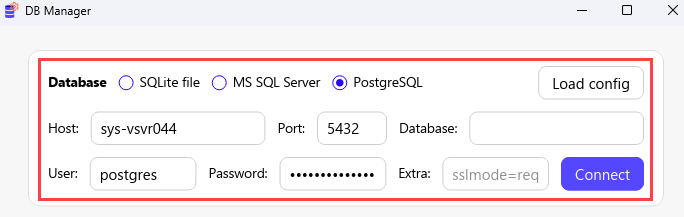
- Enter the database information:
R53 and later releases: Enter the information manually or use the Load config button to load it from an existing swServer.ini file that contains the database information in the DNS= entry. See DSN in Installing a New SystemWeaver Server for the format to use by database type.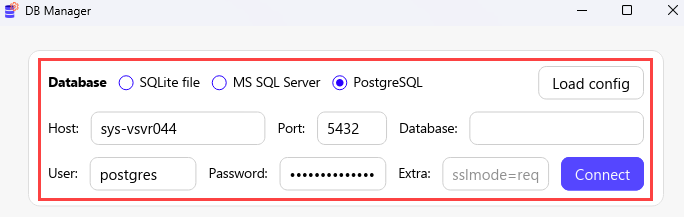
R52 and earlier releases: Enter the information manually
- To removing journaling:
R53 and later releases: Navigate to the Journal tab and click Disable journaling.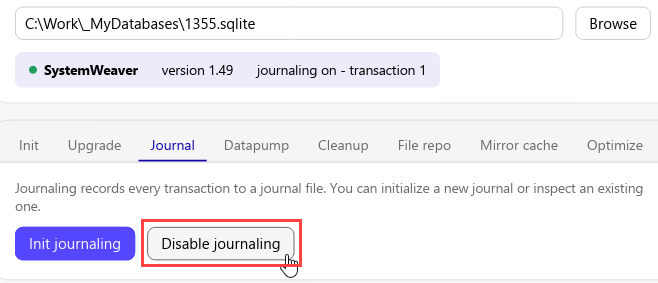
R52 and earlier releases: Click the Display Info button first to confirm that the tool version is compatible with the current database version. Navigate to the Database tab and click Clear transaction info (Journaling).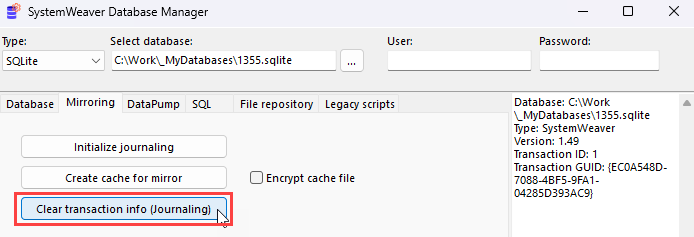
The application will indicate when the operation has completed with a message that journaling is off (Transaction info removed).
Using a Command Line
Examples
R52 and earlier releases: It is also possible to clear journaling via a command line. Remember that the SystemWeaver Server must be stopped to clear transaction information.
echo Clearing transaction info...
swDatabaseManager clearTransactionInfo type="SQLite" name="D:\myDatabase.sqlite"
echo Done
pause
R53 and later releases:
swDatabaseManager.exe journal clear --sqlite myDatabase.sqlite