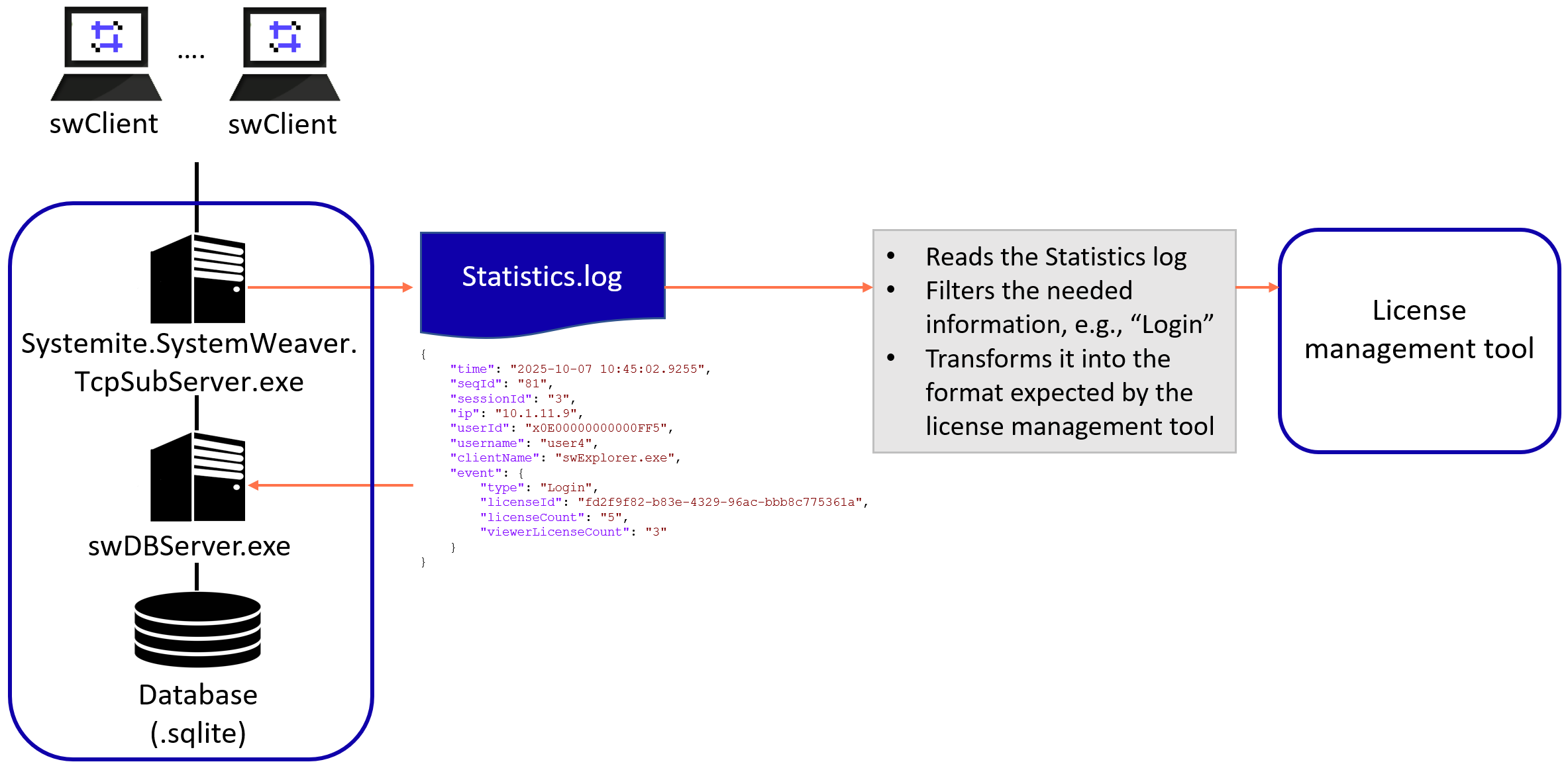
SystemWeaver has its own built-in license manager, which is part of the main SystemWeaver server. The license usage information needed for monitoring is provided in a JSON formatted file generated by configuring the Statistics log. Note that login entries for users logging in to a mirror server are also included in the main server log file. They are not included in mirror server Statistics log.
There are two entries that provide license count information in the log file.
Event Type "Login"
This event type provides counts of licenses in use by License key each time a user logs in to SystemWeaver.
Example
{
"time": "2025-10-07 10:45:02.9255",
"seqId": "81",
"sessionId": "3",
"ip": "10.1.11.9",
"userId": "x0E00000000000FF5",
"username": "user4",
"clientName": "swExplorer.exe",
"event": {
"type": "Login",
"licenseId": "fd2f9f82-b83e-4329-96ac-bbb8c775361a",
"licenseCount": "5",
"viewerLicenseCount": "3"
}
}
In the above example, upon user "user4" logging in, 5 Read/Write licenses and 3 Read-only licenses where in use on the license key with the given licenseId.
Event Type "LoginCount"
This event provides the total license counts in use for the entire database. This is useful if you are not interested in analyzing the usage by license key.
Example
{
"time": "2026-05-04 10:54:40.2751",
"event" {
"type": "LoginCount",
"count": "12",
"licenseCount": "10",
"viewerLicenseCount": "1"
}
}
In the above example, there are 12 user logins (i.e., active connections), with 10 Read/Write licenses and 1 Read-only licenses in use in total for the server.
The information from the SystemWeaver Statistics log can be used as the data source for integrating with a license management tool, e.g., OpenLM, ELK. A small converter or exporter can read the JSON log entries, extract the relevant license usage information, and transform it into the expected format.