
As with any data in SystemWeaver, users also have a unique xID. Typically, the need to view this ID and to identify the user only occurs when analyzing issues found in server log files. This article describes one way to use the swExplorer client to view the xID.
Prerequisites
- An installation of the SystemWeaver client
- Navigate to the Users list in the Admin utility.
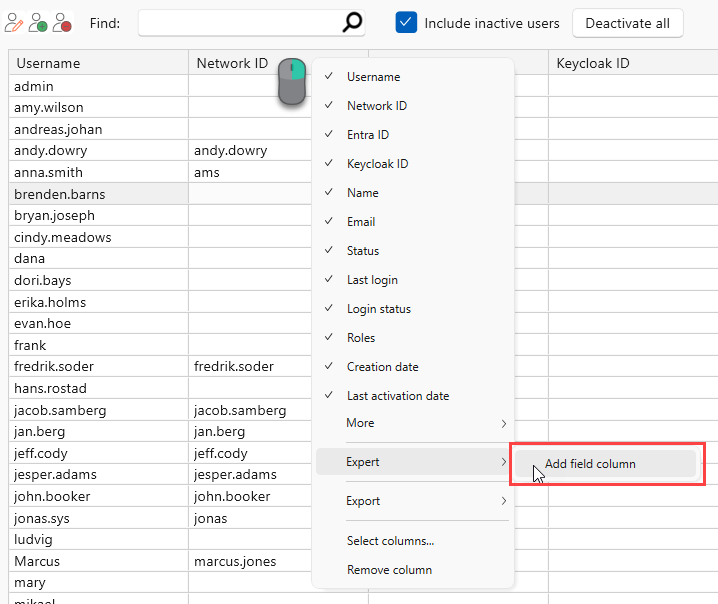
- Right click on the Users list header column and select Expert > Add field column.
- Add "Handle" as a field to display.
You can then sort by the Handle column to more easily find the user account you are looking for.